Microlab 600 Dispensers
Dispense a single solution or two solutions independently. Pipette, serial dispense, titrate, or aliquot with confidence.

Single, Dual, and Continuous Reagent Dispensers
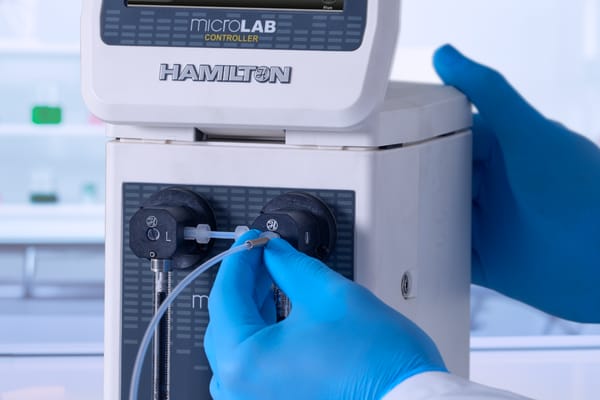
Microlab 600 Dispensers are highly precise, semi-automated syringe pumps with a graphical user interface designed to quickly and easily dispense liquids. This positive displacement system provides better than 99% accuracy, independent of a liquid's viscosity, vapor pressure and temperature. The inert fluid path minimizes sample carry over and improves compatibility with harsh chemicals.
What you can expect
View all Microlab 600 Dispensers
Dispenser Configurations
Explore the three unique configurations to discover the perfect fit for your application. Learn more from the descriptions and animations below to see how single syringe, dual syringe, and continuous dispensers work.

Single Syringe Dispenser
The Single Syringe Dispenser is the lowest cost system with one dedicated syringe pump for medium throughput dispensing applications. Precision stepper motors automatically refill the syringe from a reservoir considerably improving speed and accuracy compared to traditional laboratory equipment like serological and repeating pipettes.

Dual Syringe Dispenser
The Dual Syringe Dispenser features two syringe pumps, enabling versatile applications such as simultaneous dispensing into two containers, increasing volume or speed by using both syringes for a single dispense, creating binary mixtures with customizable ratios, and performing dilution and sample spiking separately for precise liquid handling.
Continuous Dispenser
The Continuous Dispenser is designed for time critical applications requiring repetitive dispensing. One syringe fills while the other syringe dispenses so the instrument is always ready. Perfect for integration into semi-automated or fully automated manufacturing lines.
Download Dispenser Wizards
Optional Wizards for the Microlab 600 make getting started easier than ever! Download the plugin files below and save them to the Microlab 600’s controller SD card. Insert the SD card and press the “Update Icon” in the controller’s utilities menu. Available on the Advanced controller only.
Microlab 600 Dispensers Resources
Browse app notes, user guides, specification documents, and more in our Knowledge Center.


Browse app notes, user guides, specification documents, and more in our Knowledge Center.
Browse app notes, user guides, specification documents, and more in our Knowledge Center.
Backed by world-class service and support.
For over 75 years, the Hamilton name has been recognized globally for its unwavering commitment to quality. That pledge extends to creating long-term customer partnerships. We're proud to offer in-depth training courses, on-site field support, custom product builds, and so much more.
Let's Talk
Connect with a Hamilton expert to discuss solutions for your workflow. We are here to enable your success.
Request Type: