Microlab 600 Programmer Kit Features and Functionality Guide
The ML635 standalone device comes with the Programming Kit that provides examples to help you get up and running with your own custom application. Before you buy, read this guide to find out if these examples will provide what you need out of the box, or if additional programming will be required.
PLEASE NOTE: Hamilton does not offer programming support and all app development is the sole responsibility of the user.
The Microlab 600 can interface with a PC using either RS232 or RJ45 communication protocols. In the case of the examples contained in the programming kit, each will use RJ45. If you are having trouble connecting your Microlab 600 via RJ45 please refer to the Microlab 600 Ethernet Connection Troubleshooting Guide for Windows
The three examples provided in the kit are programmed in LabVIEW, c#, and Visual Basic. The LabVIEW example comes with the necessary VI Files while the c# and Visual Basic examples come with the required Dynamic Link libraries (DLL), which you may also may find useful when creating your own programs. The main program files are highlighted in red.
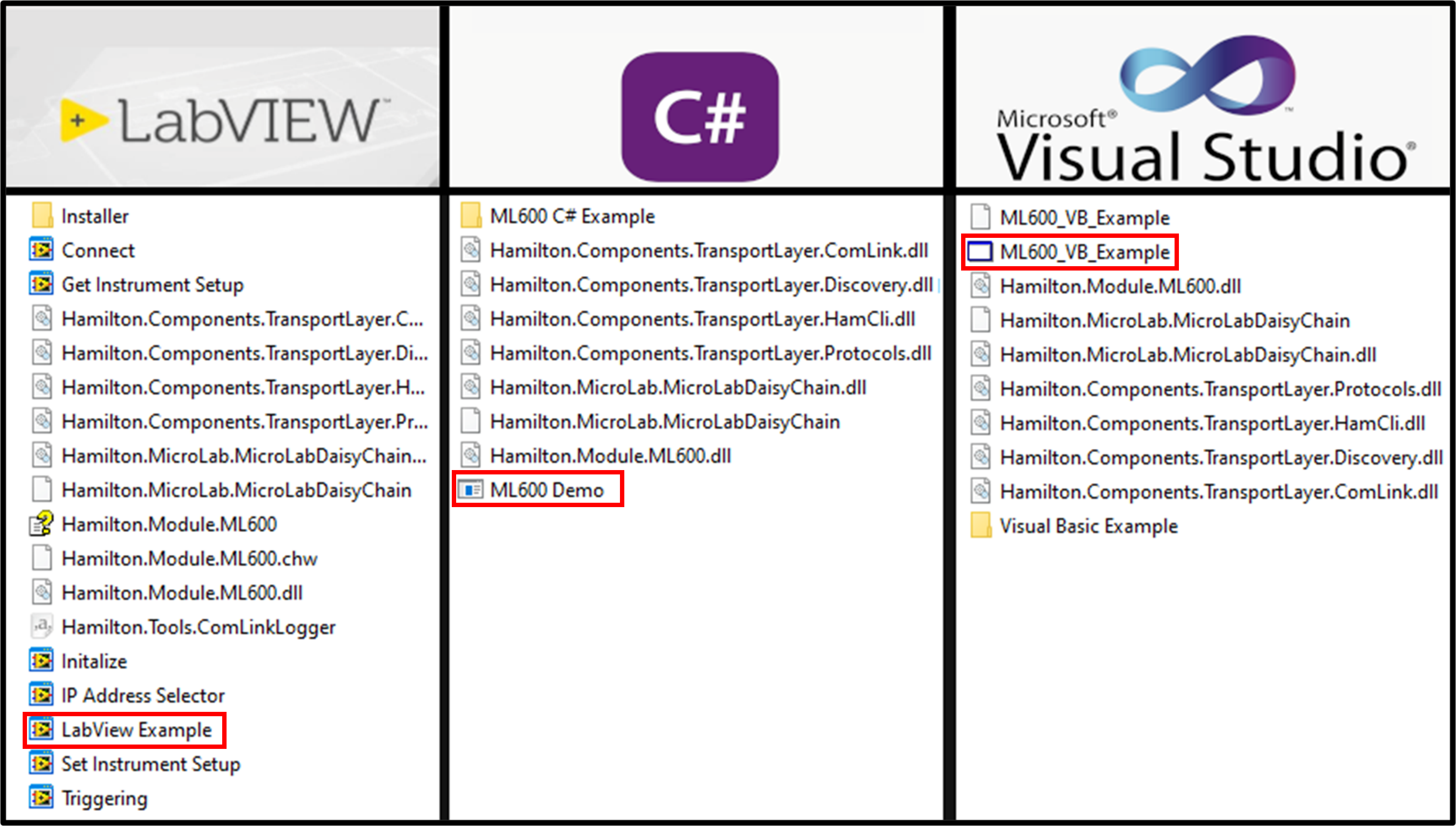
List of resources included with each example programming environment
Example Program Features
Each program is able to perform simple pump movements and communications. The list below is the full extent of the features included in the example programs.
- Syringe size selection
- Initialization
- Priming
- Valve positioning
- Single step syringe movements
- Trigger probe functionality
The example programs will not be able to program multi-step custom applications, automatically refill on empty, select preset valve configurations, create air gaps or rinse steps, etc. If any of these functionalities are required for your application it is highly recommended you have a skilled programmer available to create these features in your own custom program. If you are unsure of the features required for your application, please contact Hamilton technical support to discuss the best possible options. Hamilton does not currently provide programming support and will not be able to assist with any further matters related PC controlled Microlab 600 usage.

User interface for the c# example program